Pros: – excellent sound quality, beating streamers that cost two or even three times more
– minimalist yet versatile design
– small and strong chassis
– firmware and app development/support
Cons: – not the most user-friendly
– connection issues
– software issues
Intro:
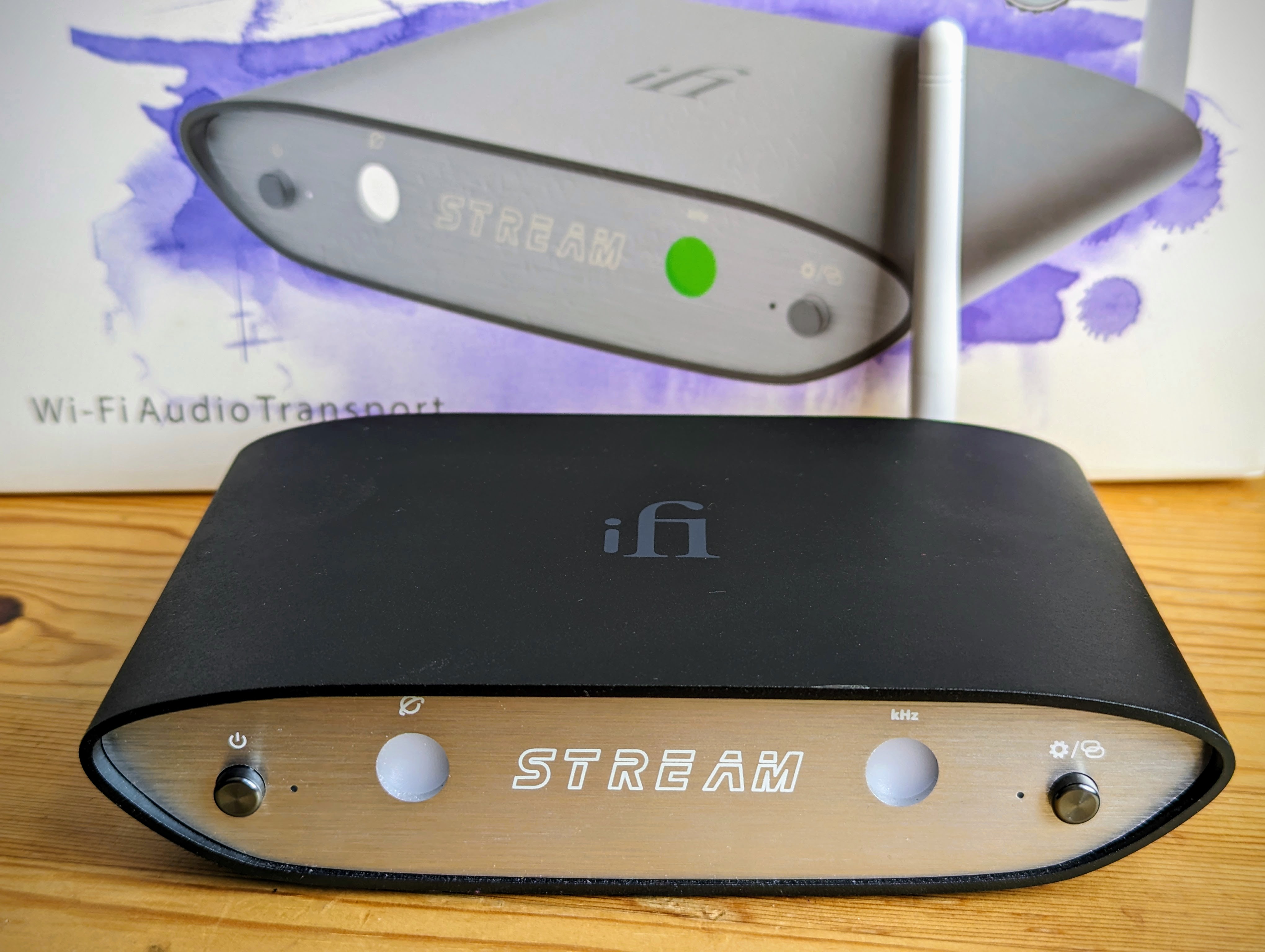
IFi kindly lent me a Zen Stream for review purposes. This write-up reflects my honest opinion based on roughly two months that I spent with the Zen Stream. My experience with streaming is relatively limited, as I mostly use my extensive FLAC library which I built up in 12+ years from several sources. I never really felt the urge to go full-on streaming, I prefer to enjoy and fully embrace a new album that I discover as opposed to the superficial mass consumption which often comes with streaming. At the same time I have always seen and recognised the benefits of streaming, like the ease of access to new music. Many years ago when streaming was new, I always found the sound quality to be inferior compared to my FLAC collection. The world has changed since then.
Do you need a streamer?
Since you are reading this, you most likely already know what a streamer is, but you might not be sure whether you need one. Streaming is possible straight from your computer to your DAC, but a dedicated streamer will completely separate your music server connection from your computer, eliminating all kinds of electronic noise from your audio chain which you might not even realised was there. I find it important to note that the level of noise can vastly differ from computer to computer. DAC inputs, galvanic isolation, quality cables, power supplies, conditioners further filter noise so the same streamer may improve sound to different extent on different computers. In my opinion you need to have a relatively good DAC/amp to consider buying a streamer for sound quality improvements. If you only use a USB dongle, you are probably fine with streaming from the computer.
I think it is worth mentioning, that the noise we are talking about is not a buzzing electronic noise that one might first have in mind, this noise is a lot more subtle and you might not even realise it is present in your audio system. It can manifest in a slightly harsher, more metallic treble for example.

Zen series:
In my opinion iFi’s Zen series (DACs and amps) is one of the best value for money when it comes to entry level audio. The Zen Stream is part of this product range, sharing the same strong and well built aluminium chassis. The Stream however stands out from the Zen series, as with the correct settings its audio quality (or shall we say noise eliminating abilities?) can compete with streamers for three times the price. A new Zen Stream these days can be found between £319 and £399 depending on the retailer. I know audio enthusiasts who sold their £1200 streamers for the Zen Stream as they found the sonic qualities to be equal or better. I personally can only attest to the ZS (Zen Stream) sounding better than the Blue Node 2I (£549) but I trust my friends’ ears, and their findings are also supported by several online reviewers.
This exceptional price/performance ratio however does not come without compromises. The ZS is such a minimalist device, it does not even have a screen or play/pause button like most streamers do. The user experience is not the friendliest and it is certainly not for everyone. The ZS is also not without glitches and connection issues, but luckily iFi is constantly working on it, improving things with every firmware update. More about this in the software/app section.
Modes:
Despite being a minimalist device when it comes to external and internal design, the ZS is quite multifunctional (as many iFi devices are). Beside the ‘All in one’ mode you can choose a dedicated mode for Roon, Tidal, NAA (Network Audio Adapter) and DLNA. The dedicated modes cut off all the unused physical circuitries inside the ZS further decreasing digital noise, which leads to an even cleaner sound than in AIO mode. Here I will only cover ‘All in one mode’ and ‘Tidal exclusive/Tidal connect’ mode.

My Tidal experience:
It is not my first time using Tidal, but I had to renew my subscription in order to use the ZS. My ideal choice would probably be Qobuz, but there is no dedicated mode for Qobuz on the ZS, and also Tidal is available in a lot more countries. The country where I travel the most, is currently not covered by Qobuz, so the choice for me is easy.
I tried Tidal Master, but found only about 20% of my music available in ‘Master quality’ and I am not a big believer of MQA anyway. The recording matters a lot more than regular Tidal Hi-Fi versus their ‘Master quality’. I found the difference negligible, certainly not worth twice the subscription price.
I also found that while Tidal offers 100 million songs, around 10-15% of my music is still missing from the streaming provider, so my FLAC library is not going anywhere. Apart from this I find Tidal relatively easy to navigate and I love the immediate access to this music universe. One function I really miss though is to shuffle play through my entire collection.
IFi software and app:
As you probably figured, if you are a Tidal user it is best to stick with the Tidal app. iFi does have a user interface which is available from your web browser, but you can only access it in ‘All in one’ mode. The user interface itself is simple, but handy. You can update the firmware from here and also see what is on your connected SSD. I connected a 512GB SSD to the ZS, but the number of albums the ZS was able to scan varied from listening session to listening session. Navigation is also quite sluggish, switching albums, skipping tracks can take 1-3 seconds. So to me it never worked flawlessly, but it is good to have this function nonetheless.
I tried iFi’s android app too, which is also under constant development. At first the app worked and I was even able to refresh to the newest firmware using it, but after that the app collapsed and stopped working. Even after reinstalling it I could not make it work again, as it simply cannot see my Wi-Fi network anymore. The app’s current rating in Google Play Store is one out of five stars from 126 users.
Sound quality:
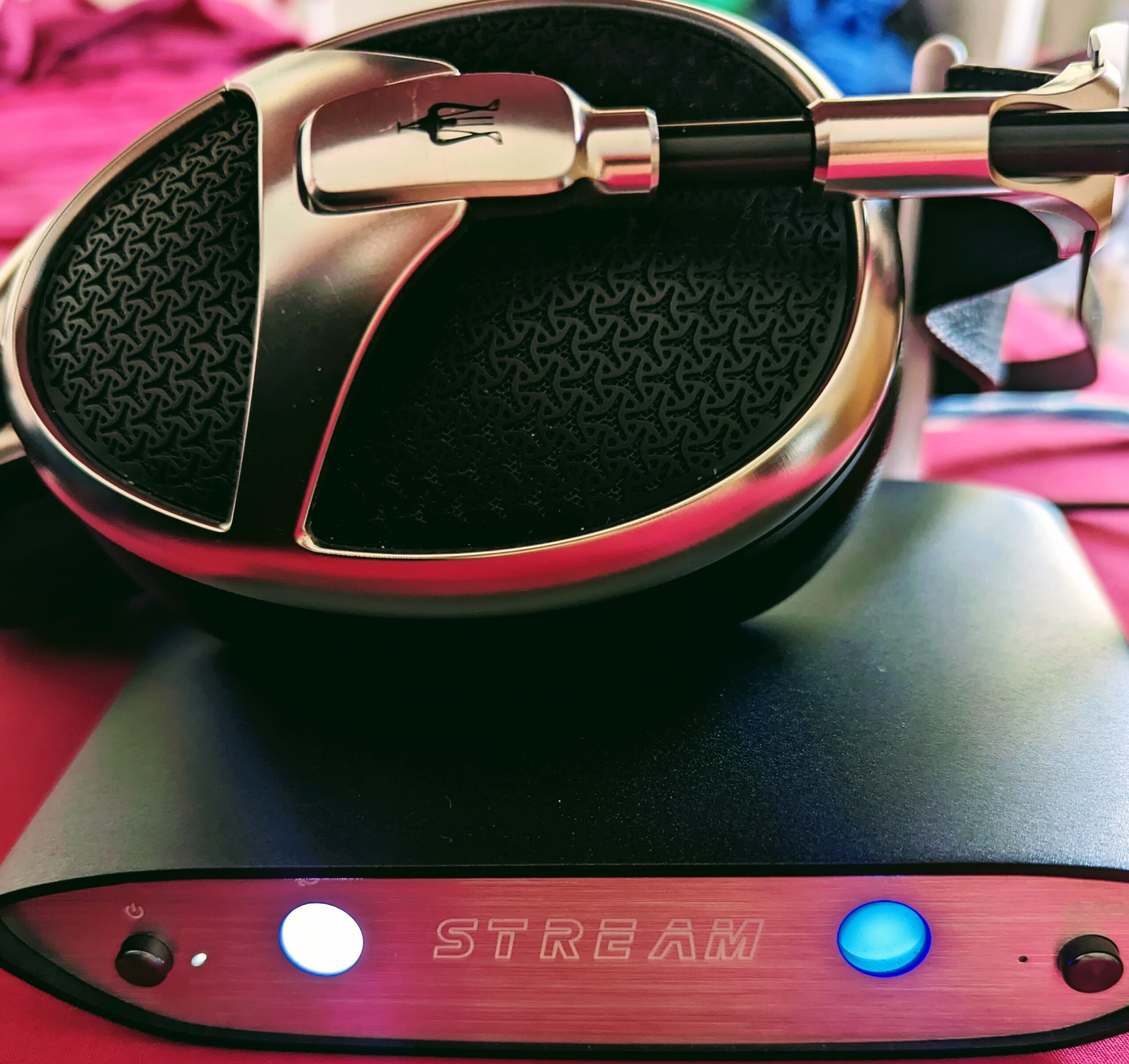
As I mentioned earlier, in the traditional sense we cannot really talk about sound quality in case of a streamer. Headphones and amplifiers bring something to the table which you can evaluate, a good streamer takes away all the unnecessary things from the same table. Its utmost function is to clear, clarify, purify the sound, separate music listening and isolate the sonic experience. The result will vary from system to system, but if you think your system is noise free, you might be up for a surprise. When it comes to sound only, the little ZS rivals streamers that cost not just two but three times more.
My personal experience:
I never really found my laptop noisy and I use relatively good cables (Supra Excalibur, good power cables). Yet the difference between FLAC straight from my computer and Tidal even in AIO mode was immediately obvious. I would not say it was a night and day difference, but clearly audible. At first I was not even 100% sure which one I prefer. FLAC from the computer somehow sounded a little punchier and brighter, but also flatter and less refined, especially in the treble. FLAC files in Foobar/ASIO from the computer sounded a little less natural, edgier, treble a bit more metallic/plasticky, texture, body and depth slightly lacking.
From the ZS a blacker background was immediately noticeable. The sound felt warmer, more organic, more natural and rounded. Depth and space due to the blacker background has increased, with this darker background details were easier to pick up. I must emphasise, these differences were not enormous, but with a little attention all of them became noticeable.
The slight harshness I hear from FLAC/computer versus ZS is due to the subtle electronic noise. The main reason I hear the ZS warmer and smoother is because my DAC and amp are warm and smooth. (Pegasus R2R and Cayin HA-3A). So the ZS is doing its job letting the DAC/amp sound at their best, as they should.
When I switch to Tidal exclusive mode, I unfortunately lose the (buggy but still useful) access to my SSD connected straight to the ZS. I also lose iFi’s browser interface, but what I gain is an even higher level of clarity compared to AIO mode. The improvement between AIO mode and Tidal exclusive mode is less than it is between FLAC/ASIO computer and ZS AIO streaming, but certainly present and audible. In fact if I bought a ZS I would probably use it in exclusive mode, as with the clarity improvement maxed out it can really elevate the listening experience and become a worthy sonic upgrade.
As long as someone does not mind its quirks, this little streamer will satisfy most users when it comes to pure sound.

Issues:
To see the full picture I have to list the issues I have encountered with the ZS. I mostly used Wi-Fi because my router is 15m away from my audio gear and I have good, stable Wi-Fi. The ZS was always immediately showing ‘strong connection’ with its led indicator. There should not be a sonic difference between Wi-Fi and wired ethernet connection, but I can imagine some of the connection issues I have experienced could be eliminated with wired ethernet.
– First of all when I switch the ZS on, there is an audible noise (a bit like a plane before take off) until the streamer connects to the Tidal server. This noise never occurs later on, even if the server connection gets lost, only after switching the ZS on. I was told, this is not a common problem and most likely it has something to do with my DAC. I use a Musician Pegasus, and another member has experienced similar noise with his Denafrips DAC. The DAC designer is the same, so it might have something to do with the DAC design and is not the ZS’s fault. Ifi will look into it and might come up with a remedy in a future firmware.
– Sometimes I just can’t stop the music from playing. This usually happens after hours of listening, but even closing the Tidal app does not help. In this case only switching the ZS off can stop the music.
– While the ZS always connects to the Wi-Fi network in a few seconds, sometimes it takes a few minutes and attempts to connect to the Tidal server. During these 2-8 minutes I sometimes have to restart the ZS 2-3 times in order to succeed. There is no pattern I can observe, it is completely random and temperamental. Once the connection is set, it is very stable as long as I keep listening. I never had a drop out while playing music.
– If I stop the music and after 15-20 minutes I click ‘play’ again, the server connection is not always immediate either. Sometimes it takes 2-3 attempts to play music again and occasionally I have to restart the ZS.
Restarting the ZS usually solves any problems, but the first few minutes trying to connect to the music server can be frustrating, at least on Wi-Fi. Wired ethernet would probably solve most of these connection hiccups, but I have not yet been motivated enough to buy and install 15 meters of ethernet cable. Also, Wi-Fi in theory should work just as well.

Conclusion:
Value and compromises, who is the ZS for?
I only covered one usage scenario in this review, Tidal through Wi-Fi (and SSD). Roon users for example might not encounter any of the problems I have mentioned. The ZS is a minimalist, yet versatile device and as long as you do not mind to figure out its quirks, the sound quality for the price will repay your efforts and dedication. If you are not in the position or you simply feel uncomfortable spending more than £1000 on a stand alone streamer, the ZS can bring you the same level of sound quality but it comes with certain compromises regarding the user experience. What compromises you are willing to make and to what extent, only you can answer. Despite all the annoyances I have experienced I am seriously considering buying a ZS as it truly enhanced my listening experience.
Edit:
I have made two discoveries which helped with most of the connection issues with the Tidal server.
1, I know, it sounds odd, but loosing connection is tied together with the ‘lock screen time’ on the computer. If I change my screens lock time/sleep time from 10 minutes to 30 minutes, the connection stays alive. This helps if I leave the computer/stop music for a few mins as when I come back I do not have to go through the frustrating connection process again.
2, I need to leave the Zen Stream on 24/7. Like with many DACs, it does not hurt the ZS to be on nonstop. This way I can avoid the noise and initial frustration to connect to the server after each switch on.
Perhaps the solutions are not ideal, but they work. I could probably live with the ZS this way, yet I think I will look for another streamer.